To get started, head over to your learning platform and select “Report” >> “All Assignments”.
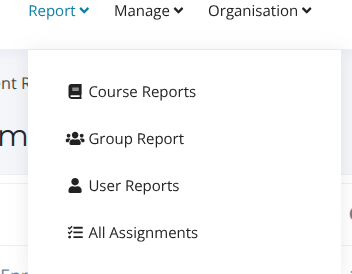
You will then be able to see all of your active assignments.
Here you can see a list of all your assignments and information such as the number of courses within each assignment, completion rate, etc.
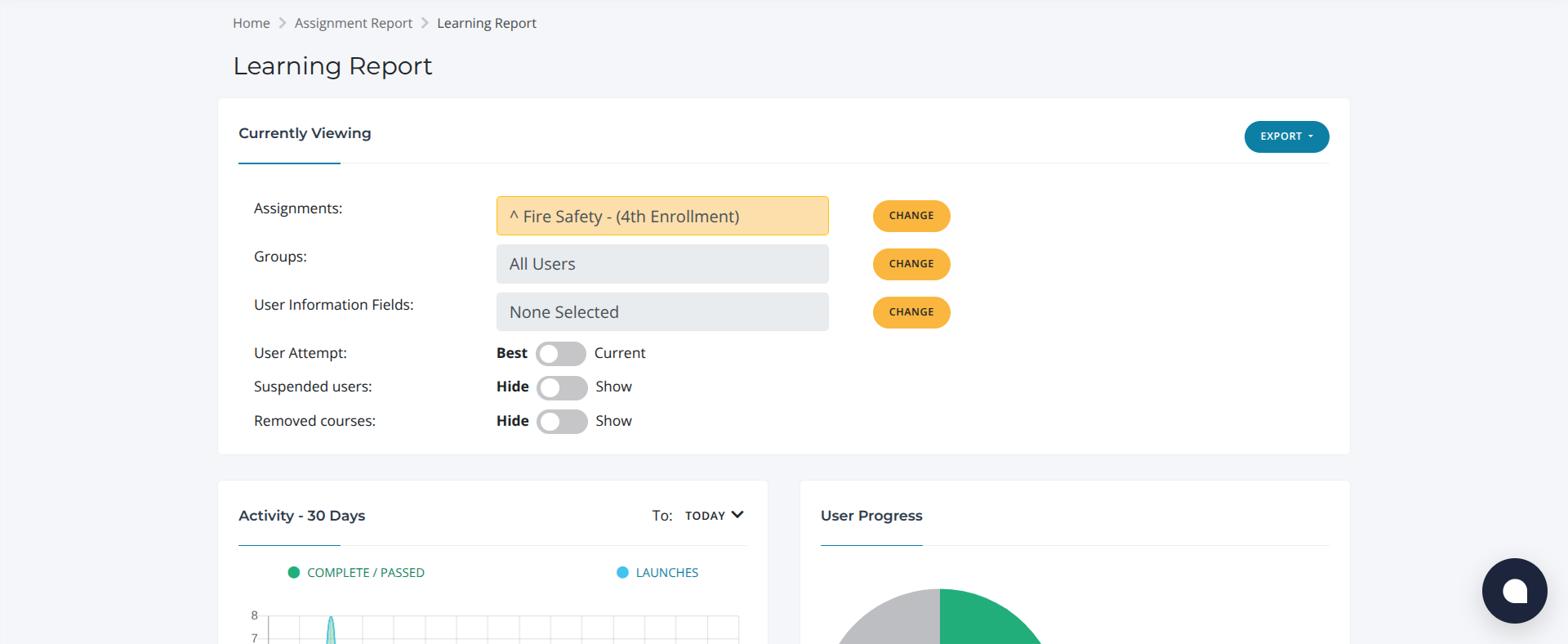
Once you have clicked on an assignment you will be brought to this page which shows assignments you are currently viewing, activity, user progress etc.
From here you can use the export button to export the report

Here you can click Change to select as many courses as you like. This brings up a list of all available courses, allowing you to select multiple at once so you can get a better overview of user progress across them.
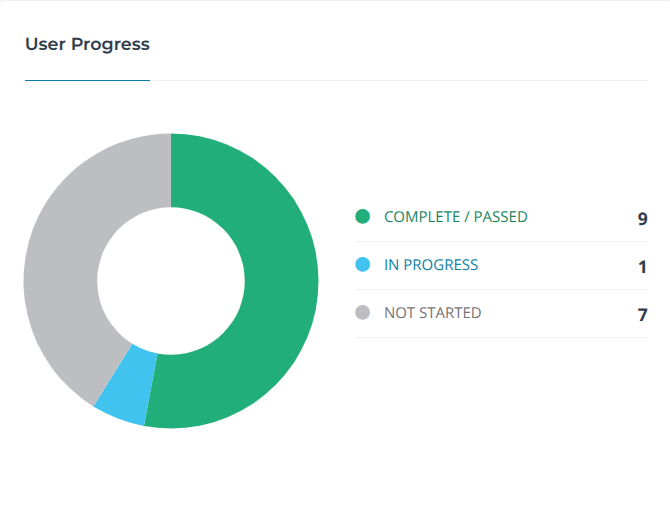
Here you can see the user’s progress, which shows how many users have completed the courses, how many are currently taking the course and finally the users that have not yet started the course.

Here you can click the status button to view whether the user’s assignment is Not started, In Progress, Complete, Failed or Pass.
If you need any extra support you can email us at: support@bobsbusiness.co.uk