Within this guide, we will show you a quick and easy to way to view and edit Email Templates which are already added to your platform!
-
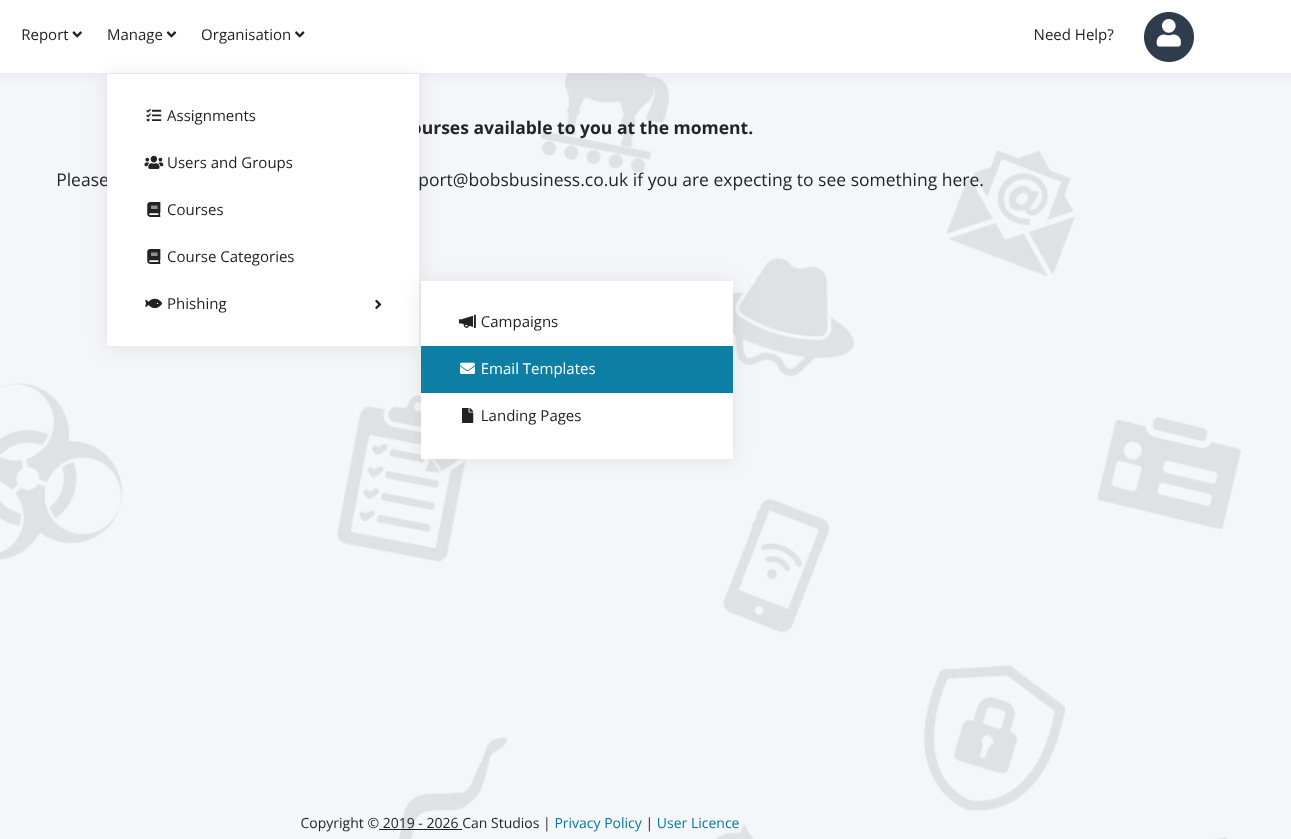
You must have admin access to be able to do this. Once you do, go to the Manage tab >> Phishing >> Email Templates.
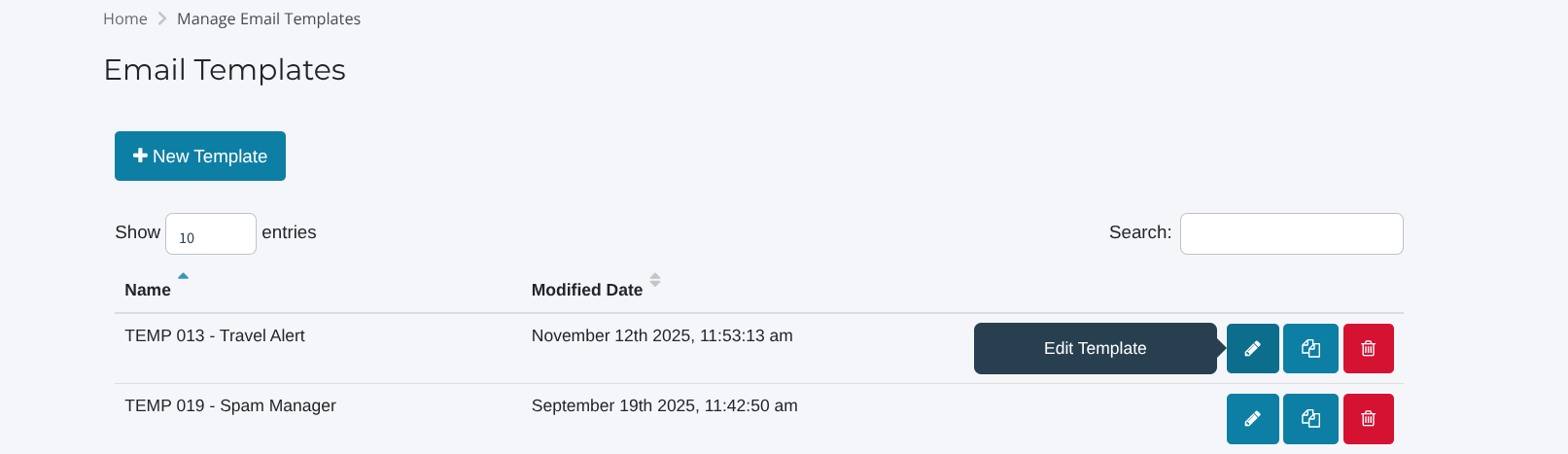
- From here, you can search for the template you would like to edit, and select the Blue Pencil Button titled 'Edit' on the right.
- Once you have done this, you will then be able to see there are areas you can now edit, including the template name, subject etc.
However, to edit the contents of the template itself, scroll down and select 'HTML' just below the Subject box, and then 'Source' on the right hand side.

Once you have done this, you can see you are then able to click in and edit the contents of the Email Template, and personalise this to your liking. After editing this as needed, please be sure to scroll to the bottom, and select 'Save Template'!